Our Products

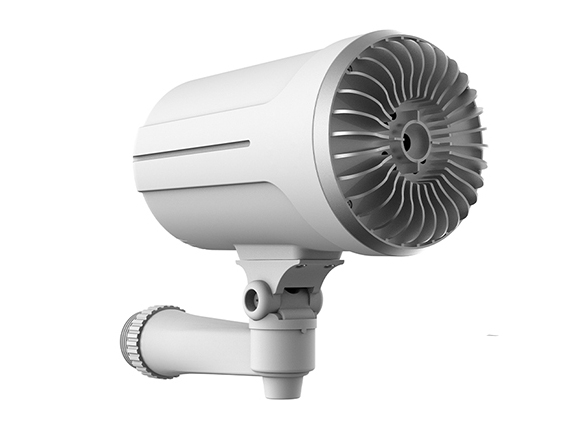
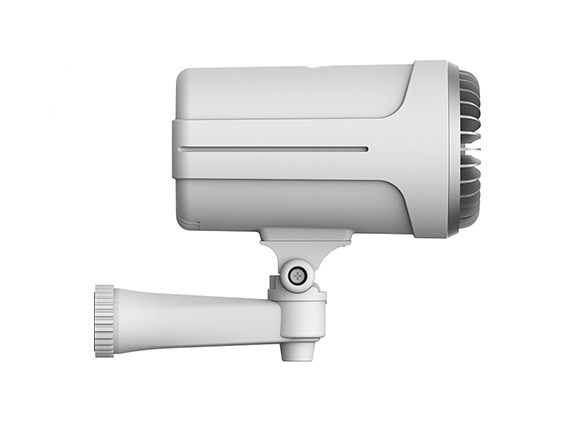
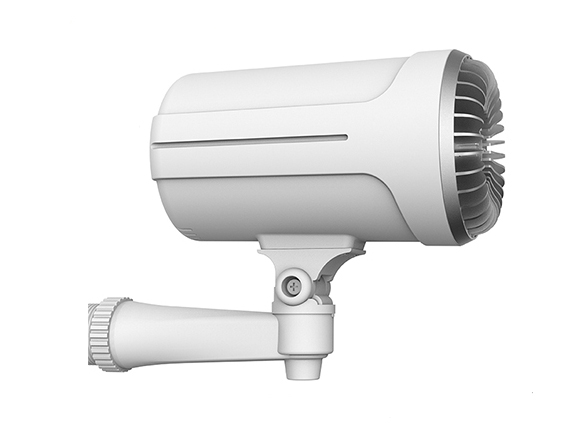
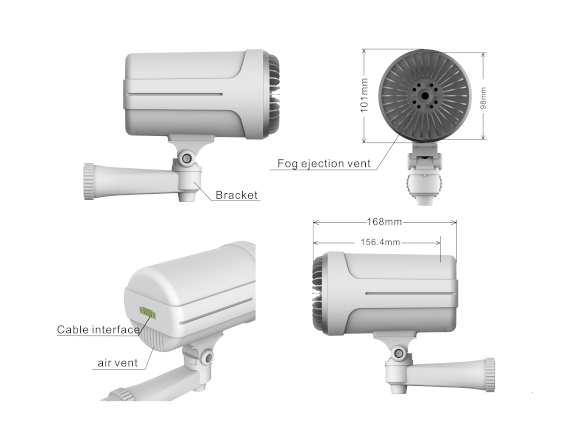
DIY Security Fog System

Original price was: $649.00.Current price is: $550.00.


Available | Within 7-14 Days | Free Delivery


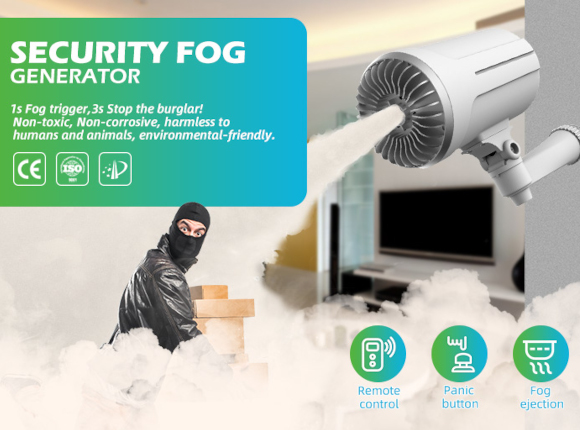
The First DIY Security Fog Protection: 100% prevented intrusions. In just 5 seconds Security Fog creates a real thick fog and stops the intruder in their steps. Comes with a 1 year warranty

New Fog Refill Cartridges

Extra Liquid Refill cartridges only one ejections with each one

Description

DIY Security Fog system.

Buy it – Plug it in – No worries


Protection: 100% prevented intrusions. In just 5 seconds our Security Fog creates real thick fog and stops the intruder.
1 year warranty included in the price. All Security Fog products have a 1 year warranty.
Free Shipping. Buy our Security Fog, we will take care of the shipping!


Always under control:


You activate it easily via the remote control and you can control events directly from your smartphone!

With the anti-theft option you can shoot the fog on command.


The fog is a chemically based interaction leaves slight particles on the floor, is neither damp. Our Security Fog can be installed in any environment and the fog does not cause breathing problems.


How is our Security Fog created?


The patented system provides for the transformation of a quick chemical reaction, thanks to a very powerful, interaction. The chemical reaction only takes seconds. The result is the instant smoke vaporization which creates this very dense white fog.


What is the smoke made of?


The cold smoke formula, is a natural chemical reaction. The density of our Security Fog is given by a characteristic of our chemical reaction which is also Non Corrosive and Non Toxic.


The fog is delivered in 30 seconds. At the end of the delivery, the 150m3 room will be completely saturated with fog which in normal conditions will remain for about half an hour. Once the fog has dissolved, the room will be exactly in the previous condition, with some slight particles on the floor. The fog is not generated by water, it does not have water vapor inside, so it is not wet and does not damage electrical or electronic equipment. The non-toxicity make the product usable without problems even in the presence of food or animals. No odor will remain in the air although will leave some particles on the floor position which can be vacuumed up..


About the Fog

The fog of our Security Fog


The fog created is non-toxic, leaves a slight residue on the floor, which can be easily cleaned up. Our Security Fog can be installed in any environment and the fog does not cause breathing problems.


How is the fog created?


The patented system provides for the transformation of a chemical reaction, thanks to a very powerful technique. The smoke, contained in an easily replaceable nozzle. The result is the instant vaporization of the substance in the nozzles which creates this very dense white fog.


How to Configure

What is the most suitable configuration
for your home?


iFog is a very simple, versatile system and can be adapted to any need.


What do you want to protect?


Our advice to better configure your iFog is to start from a question that is as obvious as it is crucial. iFog is able to protect various situations, starting from a single room to get to fill several rooms with fog at the same time.


The most important thing to keep in mind is that Security Fog is designed to protect rather than alert, so it should be located in the area where we want to protect it or as a barrier in a critical area. Fog barely passes through closed doors.


Do you already have your own system or do you want Security Fog to operate as a complete safety system?


As you have seen, it is possible to buy the Security Fog starter package which only includes Security Fog to be connected to your alarm system. If you want to connect Security Fog to an existing system, you will need to bring the arming and shooting commands to your Security Fog directly from the alarm control unit. If you choose to manage Security Fog independently, a situation we recommend, you have the possibility to compose your security system as you see fit, combining various types of sensors to make your Security Fog as reactive and effective as possible.


Once you have selected the area you want to protect, we can proceed with evaluating the various devices to connect to your iFog. Consider that iFog can also work as an anti-theft and not just against intrusions in an empty house. iFog can be placed on a piece of furniture, placed on the ground or hidden behind a plant, the only important thing is that the fog has free space in front of it and is possibly guided towards the area to be protected. Once you have chosen the location of your iFog, you can evaluate the possible need to put additional iFogs if you want to protect rooms larger than 250m2 or different rooms or floors. Keep in mind that all iFogs will work connected to each other as a single system and you can always add them in the future.


Now that you have chosen where your iFog will be placed, let’s move on to the sensors. The sensors are “the eye of iFog”, in fact they allow it to detect the break-in. You will have the possibility to connect volumetric or magnetic sensors. The volumetric sensors are positioned inside the room and are able to create a radius of 12 meters wide 90 ° within which they are able to detect any movements of intruders. Magnetic sensors, on the other hand, should be placed on doors and windows in case you want to detect the opening of the latter.


Once you have also configured the “eyes” of your iFog, you will be able to choose any sirens or other devices to complete the system.


Examples of installation:


I WANT TO PROTECT JUST ONE ROOM: Protecting a single space is quite simple, as it is enough to place the iFog inside the room and place a volumetric sensor at an angle or in any case considering that it is able to reveal the whole room. With the remote control provided or the app, simply arm the iFog when you leave the room and from that moment on if someone enters, the iFog detects it and delivers the fog. For this solution we have thought of the Smart Pack.


I WANT TO PROTECT AN APARTMENT: In the case of the classic apartment, with the front door as an access point and a secondary access from a window or terrace, we recommend positioning the iFog in a key area of ​​the house such as the living room or hallway. The sensors in this case will require a magnetic on the entrance door, a second magnetic on the window or French window and a pair of volumetric support. For this solution we have thought of the Extra Pack.


I WANT TO PROTECT A 2-STORY HOUSE: Generally 2-storey houses are very large and require various sensors as needed, so we recommend starting with the Extra Pack and adding additional sensors as needed. In this case the Security Fog is often placed on the stairs to prevent the attacker from going upstairs, but just as often a second Security Fog is needed to protect another area of ​​the house.

Installation Guide

Installation guide


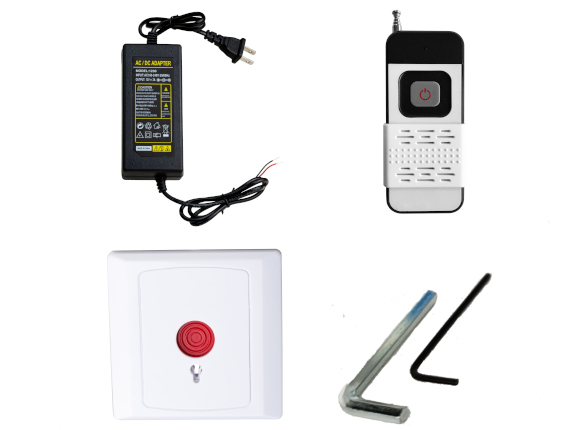
Open the box, taking care not to damage the contents. You will find inside your Security Fog with all your options, suction cup, instruction booklet.


Set up Security Fog according to the following points:


– It orients Security Fog towards the inside of the room and not towards the door/doors.


– The sensors must have an unobstructed view in front of them (they have a spectrum of 90 °).


– Insert the refills on all devices, verifying that you have inserted them correctly. Insert the chargers on all devices.


Connect Security Fog to Wi-Fi and configure the app. The operation is very simple. All you need is a Smartphone with the Security Fog app installed and a password-protected Wi-Fi network.


Open the Security Fog Tuya app, click at the top right to add a device, name it and follow the instructions on the app step by step. At the end of the procedure which lasts up to 1 minute, you will have your Security Fog available on your app and correctly connected to the cloud.


At this point, you can start pairing the sensors with your Security Fog. Remember to select the “night” option if you want the sensors to activate in this mode as well.


The installation of the sensors is very simple. All you have to do is to insert the battery and attach it to the wall or on the jambs according to the type of sensors, either by the double-sided tape or by the screws provided. Remember that the volumetric sensor has a spectrum of 90 °, detects up to 12m away and must be installed at a height of about 2m.


Once your system has been configured, you can manage it directly with the remote control or with the app on your Smartphone.

How to Activate

How to activate Security Fog?


Now that you have completed the installation, it’s time to start using your new revolutionary security system.


Security Fog is managed like a classic alarm system, so it needs to be armed to go into operation. If the Security Fog is not armed, the fog can only be delivered by activating the anti-theft kit.


Security Fog generates fog only in 2 situations:


ARMED: like classic alarm systems, if you enter it with the remote control by pressing the lock key or the app, Security Fog will switch to armed mode. From this moment, if someone enters into the house or in any case alarm the sensor, Security Fog would detect it and disperse the fog.


ANTI-THEFT KIT: a remote control to be used in an emergency that orders the delivery of fog regardless of the sensors and the Security Fog status.


How does iFog communicate?


The app is your tool to control your Security Fog in its entirety. Actually it is not only used to arm / disarm the system, but allows you to be constantly updated on its status. Security Fog will send you notifications relating to any change in status, anomaly, power outages and above all alarm. In case of an intrusion, in addition to delivering the fog, Your Security Fog will promptly notify you with a notification on your Smartphone.


Normal use of Security Fog involves arming and disarming the system from the outside, so once you leave the house you will arm the system from the remote control or the app and disarm it before returning home. Both the remote control and the app allow you to know the status of the system, which I recommend you always to check.


Frequent questions

How many m² does Security Fog® cover®?


Security Fog generates 150m³ of fog, so in a room with a standard height of 3 m it is able to cover about 70 m².


How does the Security Fog® remote control work?


Security Fog remote control is bidirectional, so you can always know the Security Fog status right on your remote. Pressing the closed lock Security Fog arms, pressing the open lock Security Fog disarms.


Is it possible to connect Security Fog to my system?


Yes, by buying the Security Fog Starter Pack you will receive it only, it will then be sufficient to bring the arming and shooting commands from your system. For more information, please see the instructions.


How many shots does Security Fog do?


What if there is a power outage?


Security Fog has a buffer battery that allows it to work even in case of power failure and will also send out a power outage warning.


How do I get around the house at night?


Security Fog has the ability to select a “night” partition. In this area it will be sufficient to insert only the magnetic sensors or those that do not interfere with your movements inside the house. When you select the “night” option from the app, only those sensors will be inserted, thus allowing you to move freely around the house. If desired, it is also possible to disable the supply of fog and use Security Fog only as a classic alarm system.


What is the meaning of the colors of the LEDs?


Can be connected to a sensor later?


Yes, you can connect any additional device directly from the app.


Can fog delivery be disabled?


Yes, if for any reason you want to use Security Fog only as an alarm system, simply disable the fog delivery function directly from your app.


What is the anti-theft kit?


The anti-theft kit is an additional remote control that allows you to release the fog on command in an emergency case. It can be used at home in case of a night attack or in the shop during opening hours.


Can be connected several Security Fogs together?


Of course, among the various options you can buy Security Fog, which can be connected with the app like any other device. In the event of a break-in, the Security Fog will deliver the fog together. This option is recommended in rooms larger than 150m3 or in case of need to protect several different rooms.


Example Video

Free Delivery

CCTVAustralia Delivery And Shipping


FREE DELIVERY FOR ALL ORDERS


CCTVAustralia offers free delivery on all our products within Australia only using Australia Post delivery services & DHL. Goods will be delivered on business days only. We do not offer deliveries on weekend or public holidays.


For Larger products a signature will be required when your order is delivered; we recommend you provide a delivery address where someone will be available to receive your order and sign for it. If no one is available to sign for your order, Australia Post will leave you a card in your letter box advising you to collect your delivery from your local post office. If you have special instructions relating to the delivery, please make sure you indicate these instructions in the comments section when you’re finalising your purchase as you are checking out.


All prices displayed on our website are in Australian Dollars (AU$) and will be charged in Australian Dollars on our online checkout.


FREE INSURANCE ON FREIGHT FOR ALL PRODUCTS OVER $150.00


99% of companies once their goods have left their Warehouse will not cover your stock if it goes missing unless you the customer make an extra insurance payment. Fear no more as CCTVAustralia will insure all goods in Transit to your doorstep in case anything goes missing. This applies for all products over $150.00


TRACKING YOUR ORDER WHILST IN TRANSIT


Once your order is shipped you will receive an email confirmation of your shipping details which will include a tracking number.


If you have an account with CCTVAustralia you will be able to view the status of your order online when you log into your account. Please click on the following link to track your order once it has been shipped: www.auspost.com.au/track


ORDER SUPPORT & FURTHER INFORMATION


If there is a problem with your order or you would like further information regarding our postage and deliveries, please contact us at:

Australian Residents:

Email: sales@cctvaustralia.net
Phone: 0447 259 986
For further information regarding Australia Post terms and conditions please refer to the Australian Post website: www.auspost.com.au